| Image Processing Toolbox User's Guide | |
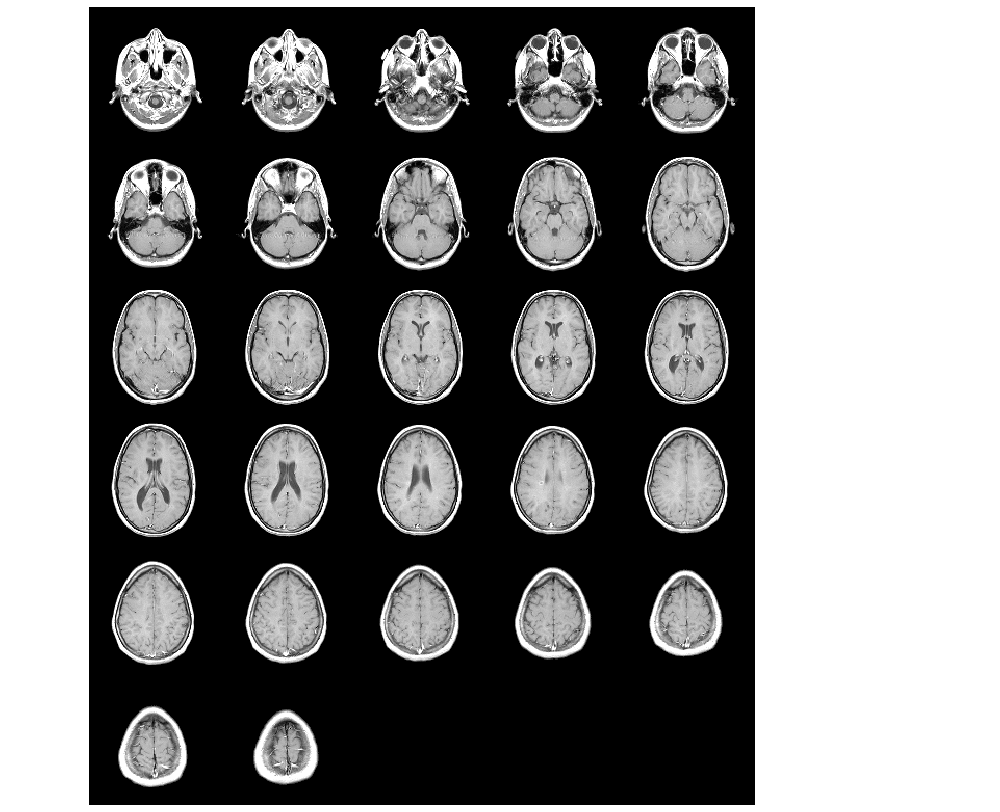
Display multiple image frames as a rectangular montage
Syntax
Description
montage displays all the frames of a multiframe image array in a single image object, arranging the frames so that they roughly form a square.
montage(I) displays the k frames of the intensity image array I. I is m-by-n-by-1-by-k.
montage(BW) displays the k frames of the binary image array BW. BW is m-by-n-by-1-by-k.
montage(X,map) displays the k frames of the indexed image array X, using the colormap map for all frames. X is m-by-n-by-1-by-k.
montage(RGB) displays the k frames of the truecolor image array RGB. RGB is m-by-n-by-3-by-k.
h = montage(...) returns the handle to the image object.
Class Support
An intensity image can be logical, uint8, uint16, int16, single, or double. An indexed image can be logical, uint8, uint16, single, or double. The map must be double. A truecolor image can be uint8, uint16, single, or double. The output is a handle to the graphics objects produced by this function.
Example
See Also
| | medfilt2 | nlfilter | |
© 1994-2005 The MathWorks, Inc.